How it works
Type a line about a call. Liney does the HubSpot.
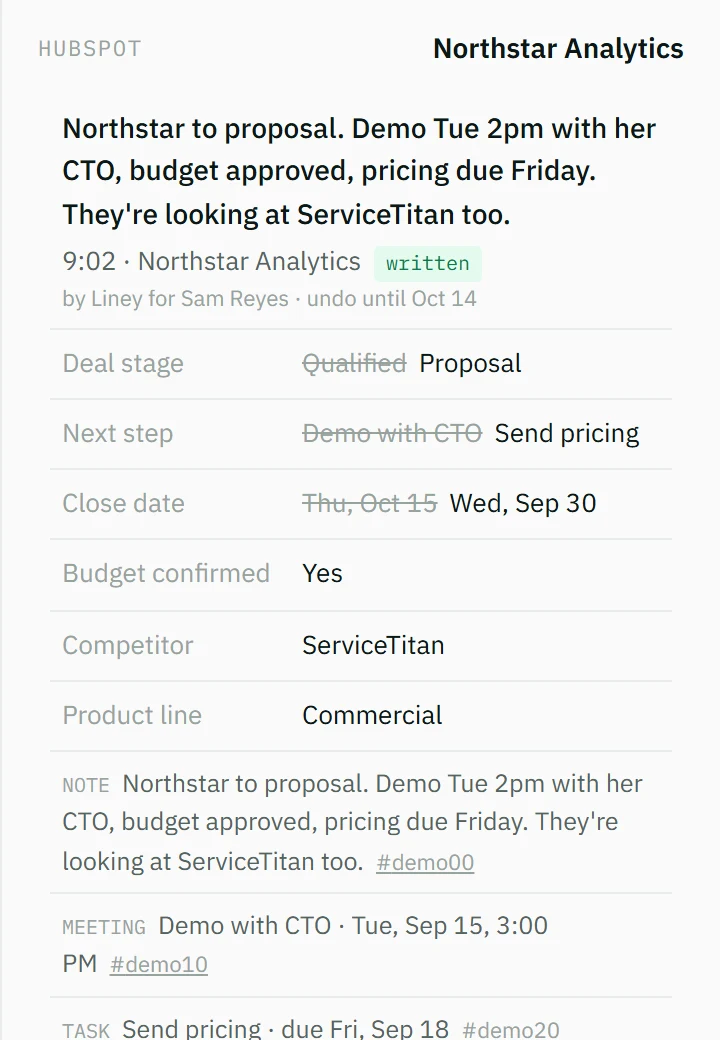
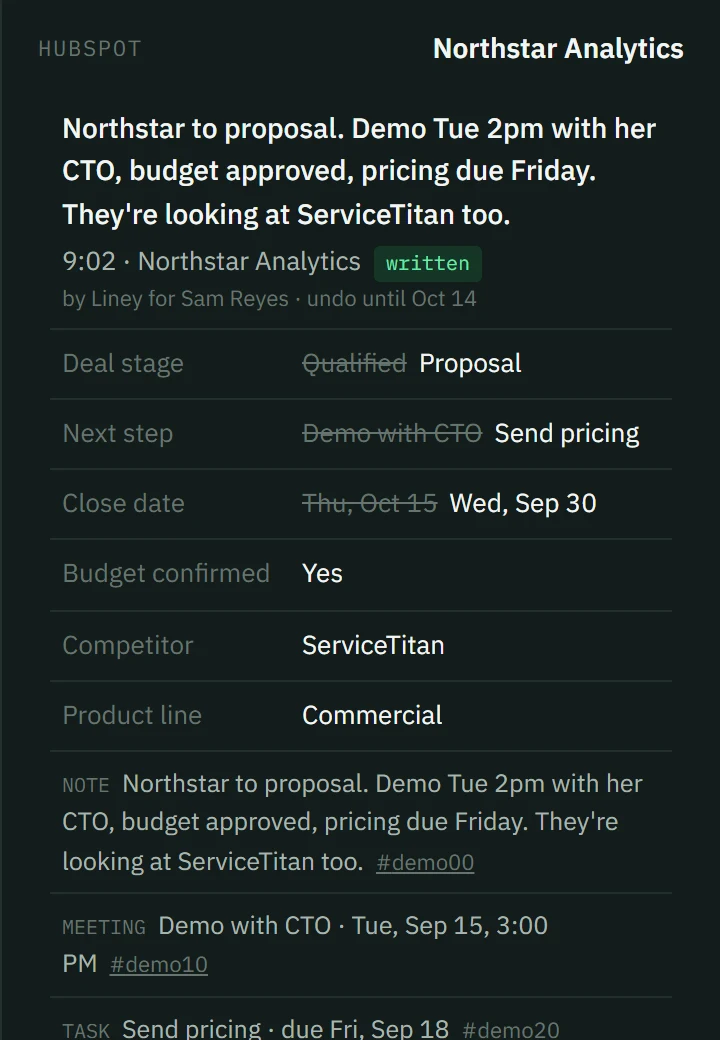
Type what happened after a call. Liney matches the deal, fills the fields your admin requires, and shows them on the right. Nothing is written until you press the button. When it isn't sure, it asks one question instead of guessing.
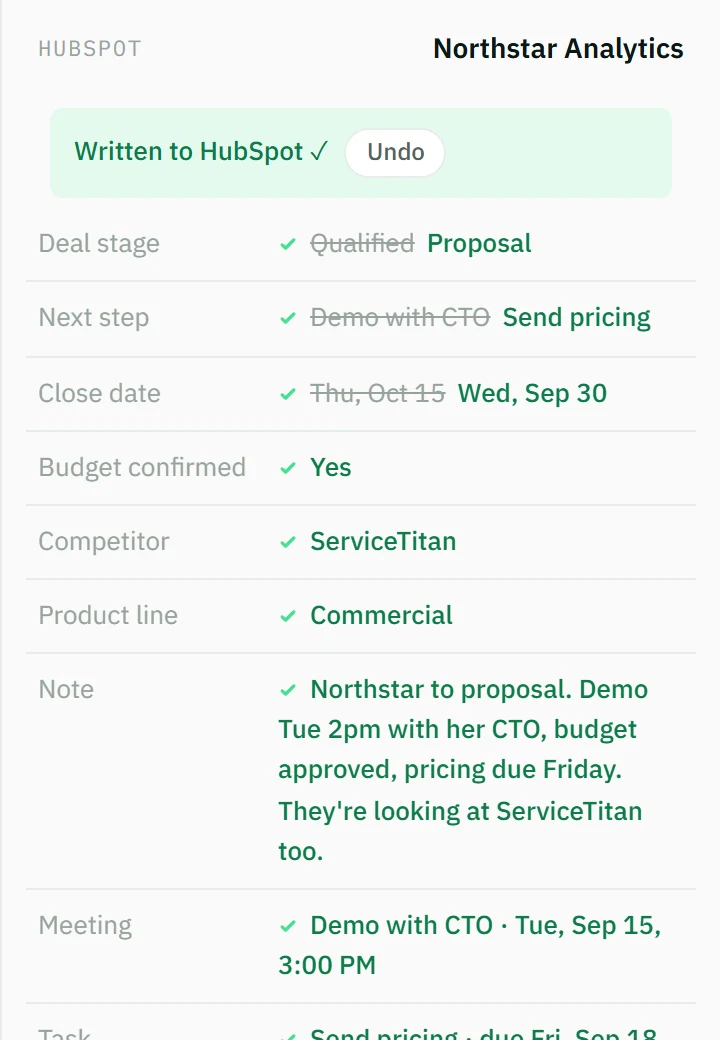
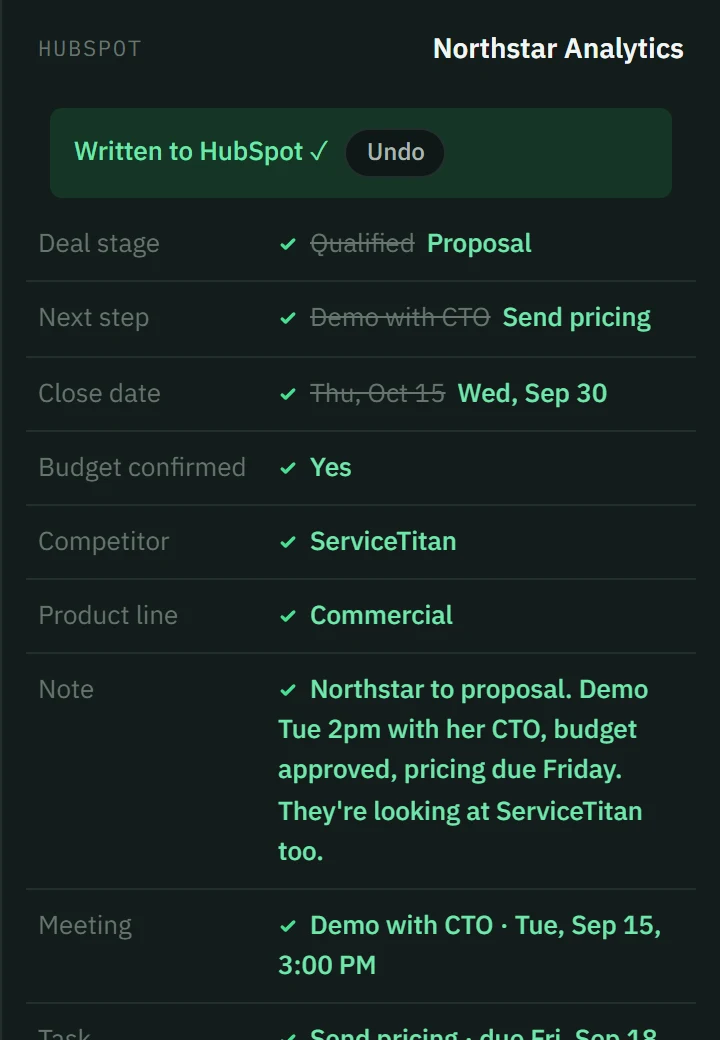
HubSpot enforces your admin's rules on every write, so Liney can't skip a required field even if it wanted to. Every change is made with your HubSpot permissions, and the previous value is kept so you can undo it.
Fields
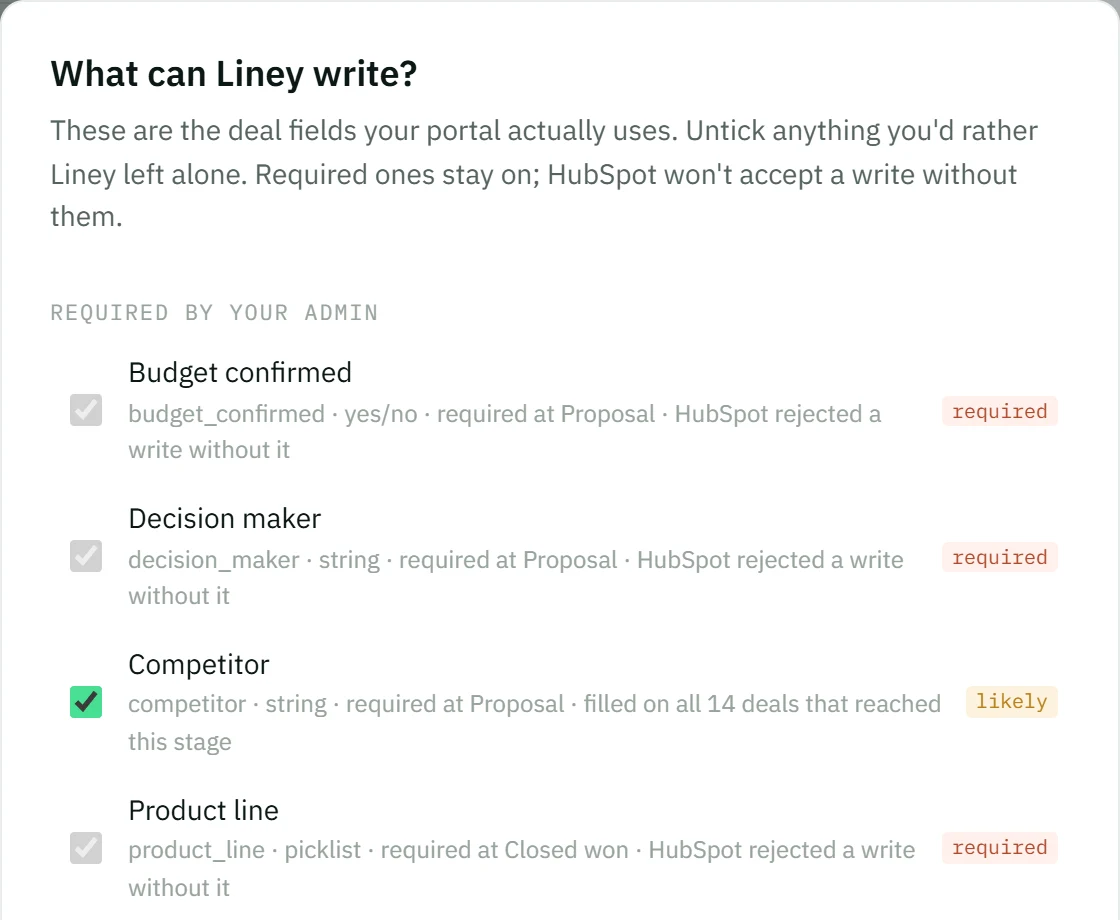
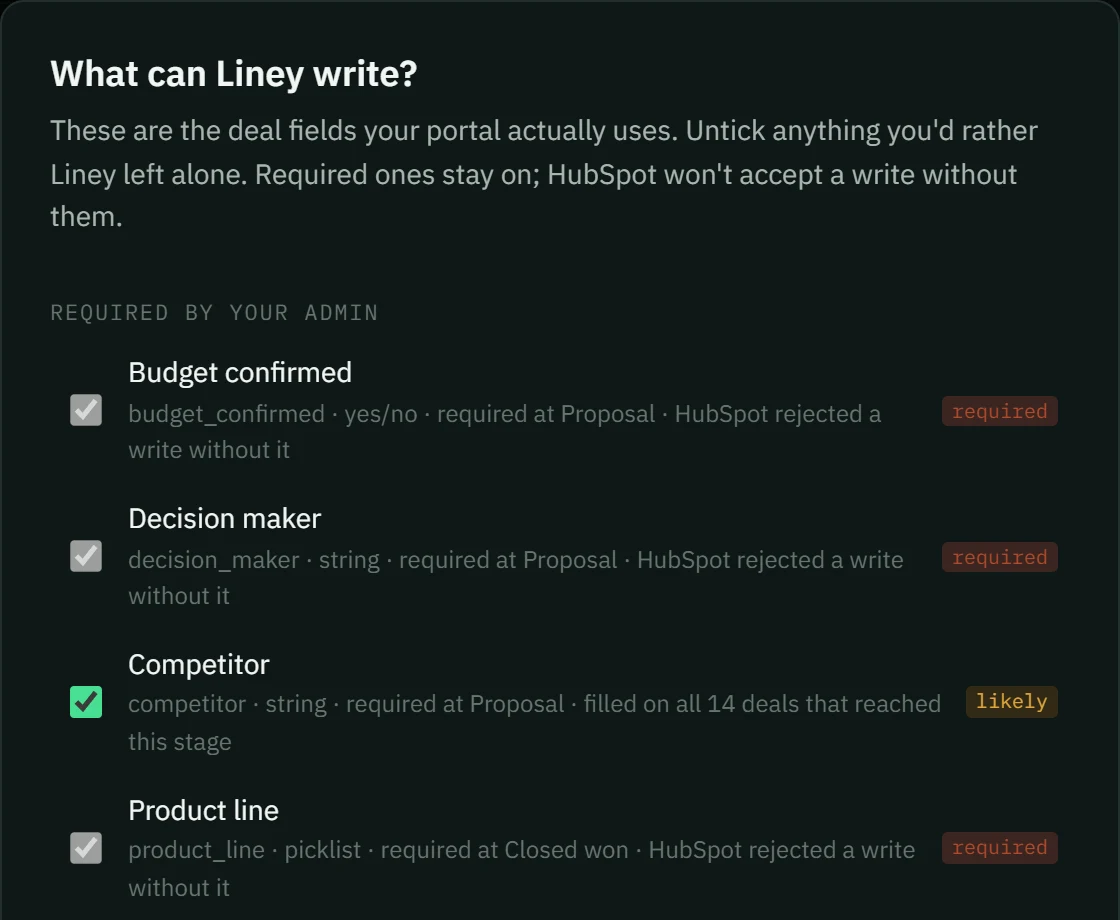
Right after Connect, one screen: the fields your portal uses, pre-ticked. Untick what Liney shouldn't touch. Required ones stay on. Change it any time in Setup.
History and undo
Click any line you've written. See exactly what changed, previous and new, and undo the whole line in one click for 30 days.
The sheet
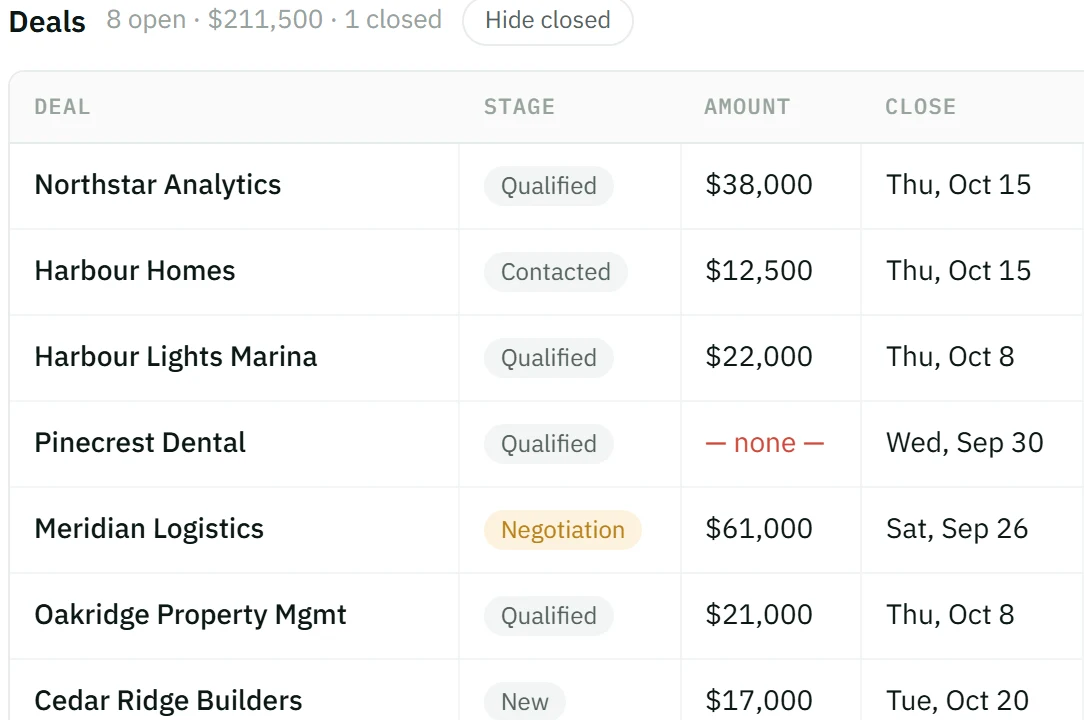
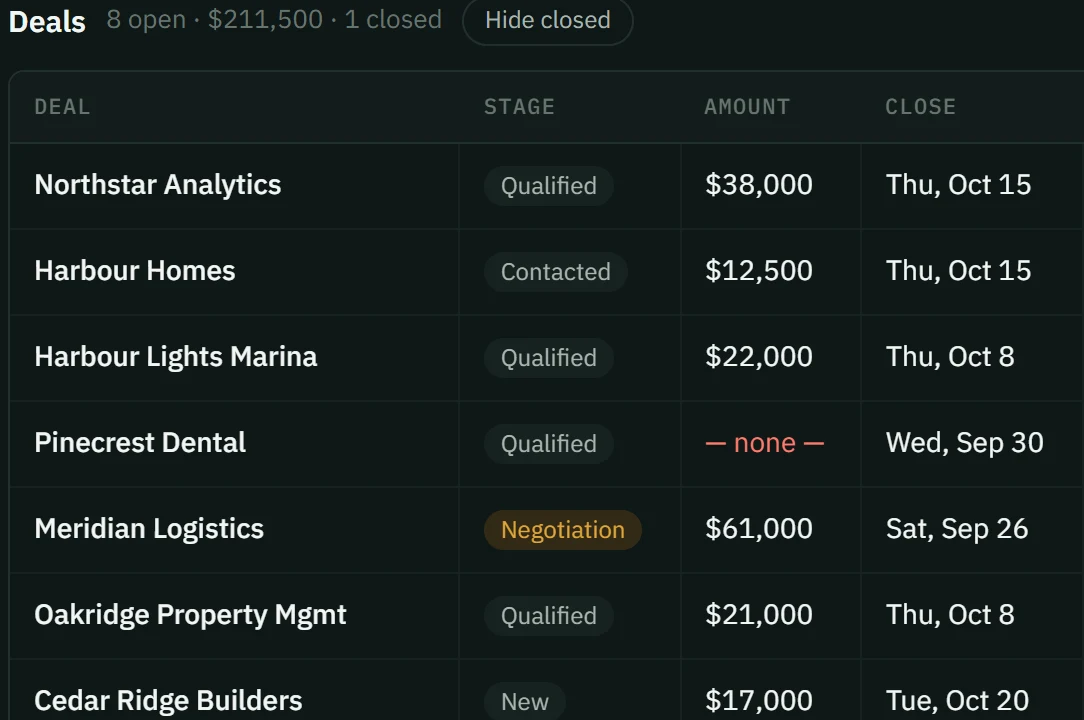
Toggle Log / Sheet in the menu. The sheet is your open deals as rows. Click a cell, change it, it's in HubSpot. Full screen, nothing else on it.
The tabs
Smart views (today, needs a next step, closing this month, stale) plus any deals you pin. Click a view to filter the log and the sheet. Click a pinned deal to start a line about it.

